Haskell · Cabal · build performance
Parallelising cabal-install: How Haskell Builds Use Your Cores
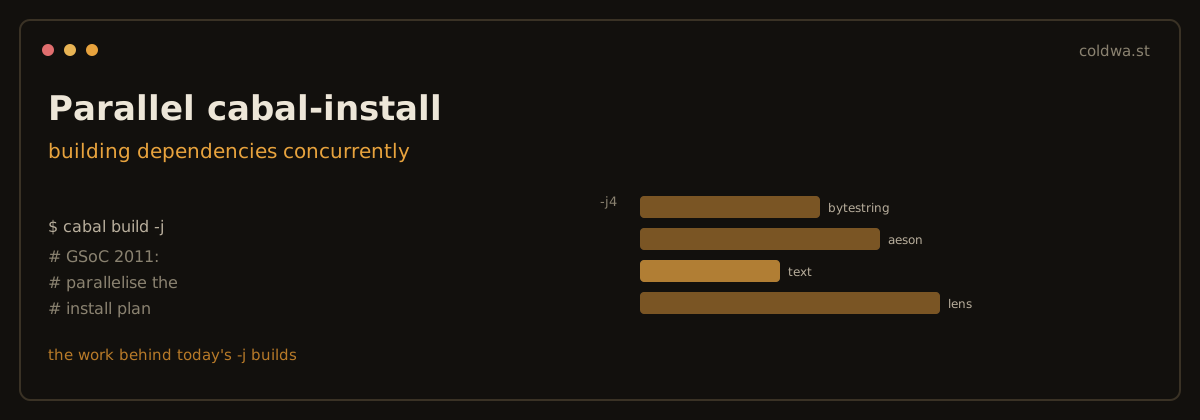
-j builds.In 2011, building a Haskell project with a large dependency tree was a sequential slog: cabal install compiled one package, then the next, then the next - leaving most of a multicore machine idle. A Google Summer of Code project that year tackled exactly this: teach cabal-install to build independent packages in parallel. That idea is now baked into every Haskell build. Here is how it works, and how to get the most out of it today.
The key insight: a build is a DAG
An install plan is a directed acyclic graph of packages. If aeson and vector both depend only on base, they don't depend on each other - so there is no reason to build them one after the other. You can compile every package whose dependencies are already built at the same time, bounded only by how many cores you want to use.
Concretely the builder:
- Topologically sorts the dependency graph.
- Maintains a "ready" set of packages whose dependencies are all built.
- Runs up to N builds from that set concurrently; as each finishes, any newly-unblocked package joins the ready set.
On a wide dependency graph and an 8- or 16-core machine, that turns a multi-minute cold build into something dramatically shorter.
Using it today (2026)

Package-level parallelism is on by default and tunable with -j:
$ cabal build -j         # use all available cores
$ cabal build -j4        # cap at 4 concurrent package builds
Or set it persistently in cabal.project (or ~/.cabal/config):
# cabal.project
jobs: 4
This is safe today in a way it wasn't originally, thanks to nix-style local builds (see Cabal 2.0): every package-version-flags combination builds into a content-addressed global store, so two parallel builds can never clobber each other's output. Isolation makes aggressive parallelism risk-free.
Two layers of parallelism
There are actually two independent axes, and understanding both is how you avoid oversubscribing your CPU:
- Package-level (
cabal build -j): build several independent packages at once. This is the descendant of the 2011 work. - Module-level (GHC's own
-j): within a single package, GHC can compile independent modules in parallel. You enable it via GHC options, e.g.ghc-options: -j.
The trap is multiplying them: 8 parallel packages × 8 parallel modules each = up to 64 concurrent GHC threads on an 8-core box, which thrashes rather than helps.
The modern fix: a build semaphore
Recent GHC and Cabal solve the oversubscription problem with a shared job semaphore. Instead of each package independently spawning N module jobs, Cabal hands GHC a single semaphore so that total concurrency - across all packages and all modules - stays bounded by one number:
# cabal.project
jobs: 8
package *
  ghc-options: -jsem    # coordinate module + package parallelism
                        # via a shared semaphore
With a semaphore, "8 jobs" means at most 8 GHC compilation tasks running at once in total, whether they come from one big package's modules or eight small packages - exactly the right behaviour on an 8-core machine.
Practical tuning
- Cold CI builds:
cabal build -j(all cores) is almost always the win - the dependency graph is wide and CI machines are otherwise idle. - Interactive dev: consider leaving a core or two free (
-j$(($(nproc)-2))) so your editor/LSP stays responsive during a rebuild. - Memory, not cores, is often the limit. GHC can use a lot of RAM per compilation; if a parallel build starts swapping, lower
-j. Cores are cheap, RAM pressure is what actually stalls big Haskell builds. - Measure once: time a clean build at
-j2,-j4,-jon your own hardware and dependency set - the sweet spot depends on both.
The takeaway
The 2011 GSoC work answered a question that still matters: a build is a dependency graph, and independent nodes should compile concurrently. Fifteen years later that idea is the default, made safe by content-addressed storage and refined by build semaphores. If your Haskell builds still feel sequential, you are almost certainly leaving cores on the table - start with cabal build -j.